IdentityServer 4 提供線上可以測試的網址: https://demo.identityserver.io 可以讓專案直接連上進行測試。以下採用 Swashbuckle.AspNetCore 範例說明。
首先,nuget 安裝 IdentityServer4.AccessTokenValidation & Swashbuckle.AspNetCore  因為設定的 web api 只使用 Access token 作為驗證的工具,因此不需要安裝整套 IdentityServer
IdentityServer 4 deom site:主要使用 implicit, api scope:
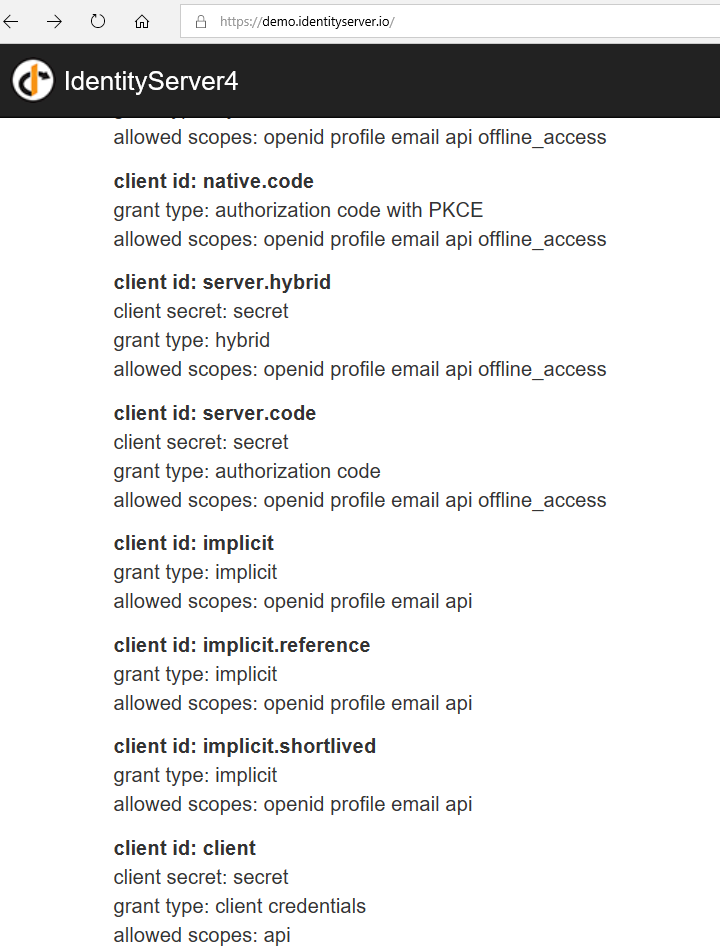
設定 WebAPI 使用 Identity Server Token
1. 註冊 Identity Server Authentication library in ConfigureService:
  services.AddAuthentication(IdentityServerAuthenticationDefaults.AuthenticationScheme)
    .AddIdentityServerAuthentication(options =>
    {
        options.Authority = "https://demo.identityserver.io";
        options.ApiName = "api";
    });
2.設定 Swagger 產生時候,加入 Oauth 的設定 in ConfigureService:
  services.AddSwaggerGen(s =>
{
    s.SwaggerDoc("v1", new Info { Title = "Test WebAPI", Version = "V1" });
    s.AddSecurityDefinition("oauth2", new OAuth2Scheme
    {
        Flow = "implicit",
        AuthorizationUrl = "https://demo.identityserver.io/connect/authorize",
        Scopes = new Dictionary<string, string> { { "api", "Access to the api" } }
    });
});
透過指定 identityserver 認證,將頁面導入 demo site,其中 flow & scope 對應前面設定的 client_id 的對應項目。
3.按下【Authorize】時候就會出現以下畫面,填寫之前指定的 client_id: implicit 即可導入登入頁面

輸入 demo site 上指定的使用者帳號:bob/bob 就完成登入:
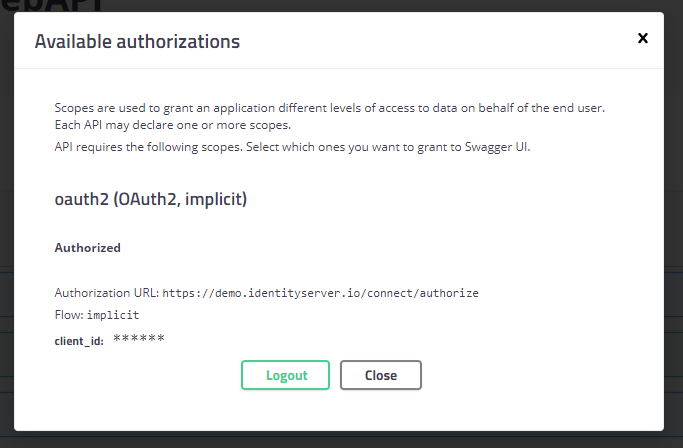
4. swagger 設定 endpoint 需要認證,同時設定 Authorize 的錯誤 401, 403 回應。這裡透過實作 IOperationFilter & 加入 AddSwaggerGen:
public class AuthorizeCheckOperationFilter : IOperationFilter
{
    public void Apply(Operation operation, OperationFilterContext context)
    {
        var authAttrs = context.MethodInfo.DeclaringType.GetCustomAttributes(true)
            .Union(context.MethodInfo.GetCustomAttributes(true))
            .OfType<AuthorizeAttribute>();

        if (authAttrs.Any())
        {
            operation.Responses.Add("401", new Response { Description = "尚未被授權存取" });
            operation.Responses.Add("403", new Response { Description = "網頁禁止被存取" });
            operation.Security = new List<IDictionary<string, IEnumerable<string>>>
            {
                new Dictionary<string, IEnumerable<string>>{{"oauth2", new [] {"api"}}}
            };
        }
    }
}
簡單說明就是會將所有的介面檢查是否具備 Authorize Attribute,如果有,則加入 security 接受 access token: oauth2 與 api scope
在 AddSwaggerGen 加入:
s.OperationFilter<AuthorizeCheckOperationFilter>();
如此,當呼叫 swagger 頁面時候,就會出現以下錯誤:

最後在 Configure 中,設定 app 加入處理 swagger UI 的 middleware:
  // Enable Middleware to serve generated Swagger as a JSON endpoint.
app.UseSwagger();

// Enable middleware to serve swagger-ui (HTML, JS, CSS, etc.),
// Specifying the Swagger JSON endpoint
app.UseSwaggerUI(s =>
{
    s.SwaggerEndpoint("/swagger/v1/swagger.json", "Rabbit framework WebAPI");
    s.OAuthClientId("implicit");
    s.OAuthAppName("Rabbit framework WebAPI");
});
參考文章:ASP.NET Core Swagger UI Authorization using IdentityServer4
有問題嗎?歡迎一起討論喔!